
Description
Unleash the Power of Time with KRONOS Watch Face
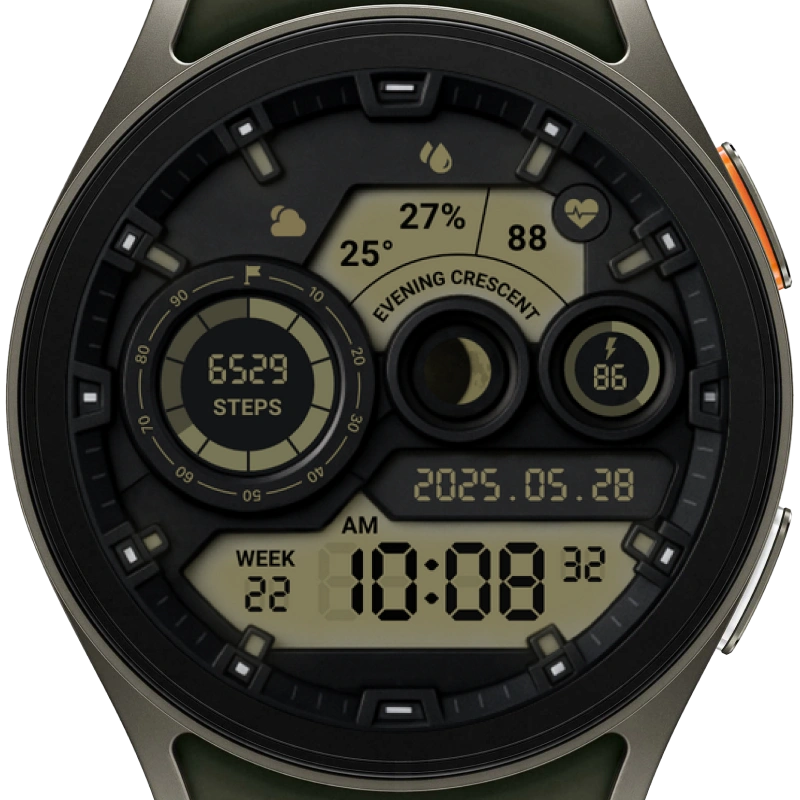
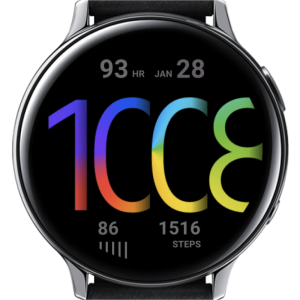
Inspired by the mythological god of time, the KRONOS Watch Face blends precision, clarity, and style into a single futuristic design. Stay informed at a glance with a display that brings your most vital daily stats directly to your wrist — including time, date, heart rate, battery, steps, moon phase, and weather.
Designed by Alireza Delavari, this bold and functional layout is crafted for users who value both information and aesthetics in one place. Whether you’re tracking your fitness, checking the forecast, or simply staying on schedule, KRONOS keeps you connected with time in its most powerful form.
Key Features
Complete Data View
See the time, date, week number, battery level, step count, heart rate, chance of precipitation, and moon phase — all in one unified layout.
Weather & Precipitation Info
View current temperature and the chance of precipitation, along with visual weather condition icons.
Step & Fitness Tracking
Easily track your daily activity directly from your watch face.
Heart Rate Monitoring
Stay on top of your heart health without switching apps.
Moon Phase Widget
A visual moon indicator lets you follow the lunar cycle in style.
Sleek Sci-Fi Design
A digital layout that balances clean visuals with functional depth, inspired by the concept of cosmic time.
Installation Notes
For a smooth installation and troubleshooting tips, please visit our guide:
After installing the watch face on your phone, be sure to sync it with your smartwatch using the Wear OS companion app.
Compatibility
This watch face is designed for Wear OS smartwatches running API level 34 or higher.
Please ensure your device supports Wear OS and is updated to meet this requirement before installing.
Customization
To personalize your KRONOS Watch Face:
Touch and hold the watch face on your smartwatch.
Tap Customize to change shortcuts and appearance options.
Thank you for choosing KRONOS. Let time work for you — not the other way around.
Reviews
There are no reviews yet.